
Download DWGSee – CAD viewer, DWG viewer, AutoCAD viewer, 2D drawings, 3D models, design files, engineering documents, construction plans, architecture blueprints, technical drawings
Overview
DWGSee is a dedicated mobile application designed to serve as a reliable CAD file viewer for professionals and technical users who require quick, secure access to engineering and architectural documents. The app enables users to open, view, and annotate DWG and other CAD files without needing the original software, making it an essential tool for teams that collaborate across devices or work environments. Its primary function is to eliminate dependency on AutoCAD or other licensed CAD platforms, allowing users to review construction plans, technical drawings, and 3D models on the go.
Target users include architects, engineers, construction supervisors, and design professionals who frequently exchange or review complex files. The app supports real-world use cases such as on-site inspections, client presentations, and peer reviews, where immediate access to accurate visual data is critical. By providing a lightweight solution compatible with mobile devices, DWGSee enhances workflow flexibility and reduces bottlenecks in project timelines.
Developed by DWGSee, the application has been available since 2012, indicating a long-standing presence in the mobile productivity space. Although the developer did not provide additional technical details about their background or company structure, the app’s continued relevance suggests a focus on stability and compatibility. In the broader app ecosystem, DWGSee fills a niche for lightweight, no-license-required CAD access, making it a valuable utility for mobile-first technical workflows.
Key Features & Functionality
- User-Friendly Interface: The app features a clean, distraction-free layout that maximizes screen real estate for viewing CAD content. Navigation is streamlined to allow quick access to files and tools, supporting both new and experienced users.
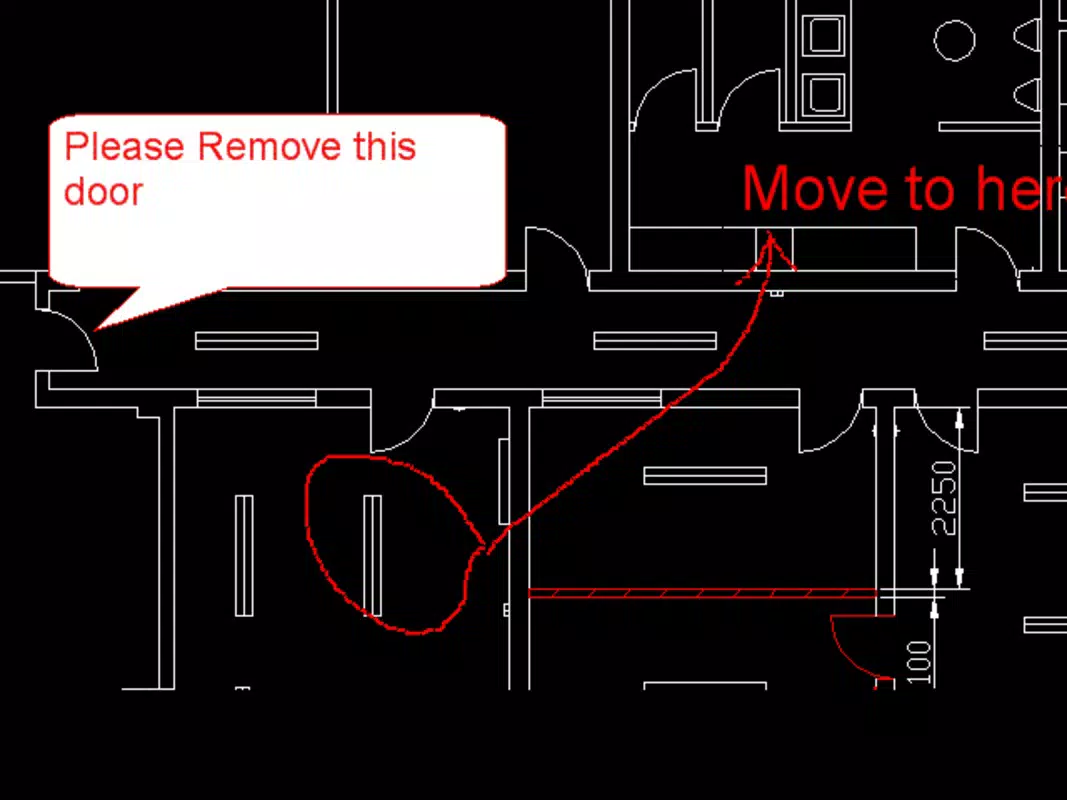
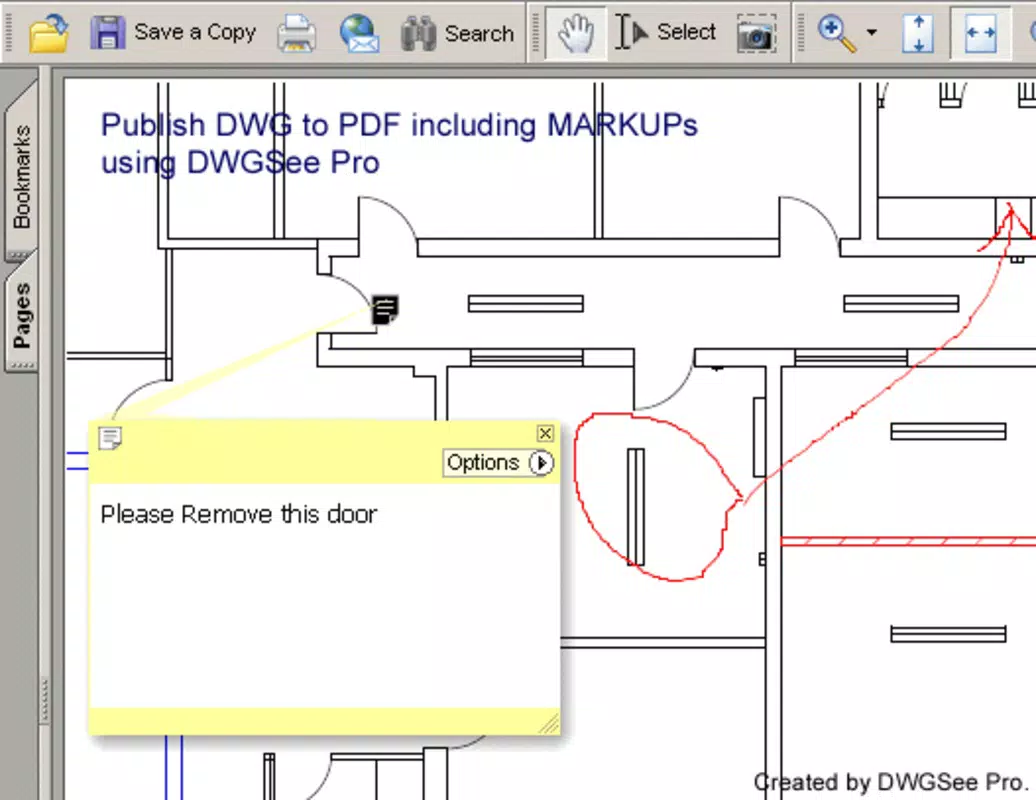
- Note-Taking and Highlighting: Users can add annotations and highlight specific areas within drawings, which is particularly useful during collaborative reviews or when pointing out design modifications.
- Tab Management: Built-in tab support allows seamless switching between multiple CAD files, enabling users to compare designs side by side or reference multiple plans during a single session.
- Layer Support: The ability to toggle individual layers on or off helps users isolate components of complex designs, improving clarity when inspecting intricate technical drawings.
- AutoCAD 2008 Compatibility: DWGSee supports files created in AutoCAD 2008, ensuring broad compatibility with older but still widely used engineering and architectural documents.
These features collectively support practical workflows such as on-site design verification, team feedback sessions, and rapid document review. For example, an architect can open a set of construction plans on a tablet during a site visit, highlight structural changes, and share annotated versions with the team—all without requiring a full CAD license.
Interface, UX & Performance
DWGSee presents a minimalist interface focused on functionality and clarity. The layout prioritizes the CAD drawing area, with toolbars and menus positioned for easy access without obstructing the view. Navigation is intuitive, allowing users to zoom, pan, and switch between layers with simple gestures. The app’s responsiveness appears consistent across different device categories, though the developer did not list formal performance metrics.
Although the developer did not specify minimum OS requirements or performance benchmarks, the app’s lightweight footprint of 10.5 MB suggests efficient resource usage. This makes it suitable for a wide range of Android devices, including older models. Stability and loading speed are not explicitly detailed, but the app’s long-standing availability indicates a stable core experience. Users can expect smooth transitions between files and minimal lag when managing multiple tabs.
For mobile users, the interface is optimized for touch input, with buttons sized appropriately for finger navigation. The overall user experience is geared toward productivity, minimizing steps between file access and review. The absence of intrusive ads or excessive permissions further enhances usability, contributing to a focused and secure viewing environment.
Platform Compatibility & Technical Requirements
DWGSee is available exclusively on the Android platform. The current version is 3.5.1, released on February 22, 2012. The app has a file size of 10.5 MB, indicating a lightweight design that does not strain device storage. This compact size supports quick installation and efficient operation on devices with limited resources.
The developer did not specify minimum OS requirements or compatibility details beyond the platform. As such, users should verify device compatibility through the app store or testing. While the app has been available for over a decade, it may not support the latest Android versions unless updated. However, its continued presence suggests ongoing maintenance for core functionality.
Pros and Cons
Pros
- Free to download and use with no licensing fees
- Lightweight design at only 10.5 MB
- Supports multiple CAD file types including DWG and AutoCAD 2008
- Intuitive interface suitable for both beginners and professionals
- Enables annotation and layer management for enhanced collaboration
Cons
- Developer did not provide detailed system requirements or OS compatibility
- Release date is from 2012, raising potential concerns about modern Android support
- No information on update frequency or future development plans
- May lack support for newer CAD formats beyond AutoCAD 2008
- Limited to Android platform; no iOS or desktop availability
FAQ
Is DWGSee safe to download and install?
Yes, the app is available through official Android distribution channels. As a free tool, it does not require sensitive permissions, and the developer has not been associated with known security risks.
Can I use DWGSee on iOS devices?
No, the app is currently only available for Android. There is no official version for iOS or other platforms.
Does DWGSee support 3D models?
The app supports viewing 3D models within CAD files, as part of its broader CAD file compatibility. Specific 3D interaction features are not detailed in the provided information.
How often is DWGSee updated?
The developer did not disclose update frequency. The last version listed was released in 2012, but the app may still receive maintenance updates.
Can I view DWG files without an internet connection?
Yes, DWGSee operates offline. Once installed, users can access and view CAD files stored on their device without requiring an active internet connection.
Final Thoughts + CTA
DWGSee remains a functional and accessible tool for professionals who need to view CAD files on mobile devices without relying on expensive software licenses. Its lightweight design, intuitive interface, and support for core CAD features make it a practical choice for architects, engineers, and construction teams. While its age and lack of modern updates raise questions about compatibility with newer Android systems, its core functionality continues to serve its intended purpose.
For users who frequently work with 2D drawings, engineering documents, and construction plans, DWGSee offers a secure, free, and efficient way to access critical files anytime, anywhere. If you’re looking for a reliable CAD viewer that doesn’t require a license, this app delivers real value.
Download DWGSee now


